
Geek Bar Pulse 15000 Troubleshooting: 9 Simple, Proven Fixes
If your device suddenly stops responding, you are not alone. Geek Bar Pulse 15000 troubleshooting is one of the most common searches from adult vapers who want a quick answer without taking the device apart or throwing it away too early. This guide walks through the most frequent problems in plain language, starting with the easiest checks and moving toward the less common ones.
Most issues come down to a small handful of causes: a loose connection, a drained battery, a blocked airflow path, or a simple mode mistake. In many cases you can solve the problem in under five minutes. This article covers a device that is not working at all, charging trouble, a blank display, weak vapor, leaking, and more. Each section builds on the last, so you can follow it from top to bottom or jump straight to the problem you are facing right now.
A quick note before we begin. This product is meant only for adults of legal smoking age, and you should always follow the instructions printed on your packaging and the laws in your area. The tips below are general guidance based on how disposable vape devices of this type usually behave. They are not a replacement for the manufacturer instructions or support.
Understanding Your Device Before Starting Geek Bar Pulse 15000 Troubleshooting
Good Geek Bar Pulse 15000 troubleshooting begins with knowing what the device is supposed to do. Once you understand how it normally behaves, it becomes much easier to spot what is out of the ordinary. A lot of people think their device is broken when it is simply doing something they did not expect, such as switching modes or locking itself after a period of inactivity.
What the Device Is Designed to Do
The Pulse 15000 is a rechargeable disposable vape with a prefilled liquid reservoir, a battery, a coil, an airflow sensor, and a small display screen. The screen is one of its most talked about features because it shows information such as battery level and remaining liquid. The device also offers more than one performance mode, which means the way it feels and tastes can change depending on which mode is active.
Because there are several moving parts working together, a problem in one area can look like a problem in another. A weak battery, for example, can cause a dim screen, poor vapor, and a device that seems to stop mid session. Keeping this in mind will save you a lot of guesswork as you move through the steps below.
Common Signs That Something Is Wrong
Most complaints fall into a few familiar groups. The device does not respond when you inhale. The battery will not charge. The screen stays dark or shows strange information. The vapor is thin, hot, or tastes burnt. Liquid collects at the mouthpiece or around the charging port. Each of these has its own likely causes, and we will cover them one by one.
Before you move on, pause and write down exactly what you notice. Is there any light or display activity at all? Does the problem happen right after charging, or only after heavy use? These small details point you toward the right fix, and they make Geek Bar Pulse 15000 troubleshooting much faster than trying random solutions.
Geek Bar Pulse 15000 Troubleshooting Not Working: Start With These Basic Checks
When the device seems completely dead, people often assume the worst. In reality, Geek Bar Pulse 15000 Troubleshooting not working is frequently caused by something simple. Work through these checks in order before you decide the unit has failed.
Confirm the Device Is Awake and Not Locked
Many devices in this category have a way of turning the display or the draw activation on and off using the button. If you pressed the button several times by accident while the device was in a bag or pocket, you may have changed a setting without realizing it. Take a moment to press the button in the way your packaging describes and watch for any response from the screen.
If the screen lights up but the device still will not produce vapor, the issue may be with the mode or the battery rather than the unit being dead. This is a useful clue because it tells you power is reaching the display. In that case, focus on the mode settings and the battery level before anything else.
Remove All Packaging and Protective Film
It sounds obvious, but a surprising number of reports about a Geek Bar Pulse 15000 Troubleshooting not working come from brand new devices that still have a thin plastic film or a small sticker over the airflow inlet or the mouthpiece. Check the base, the sides, and the mouthpiece carefully. If you see any clear film, peel it off.
Also look at the charging port. Some units ship with a small piece of protective material that can stop a charger from sitting properly. Removing it gently with your fingernail is usually enough. Do not use sharp metal objects, since scratching internal contacts can cause damage that cannot be repaired.
Run a Gentle Airflow Test
Draw activated devices use a small sensor that detects airflow. If that sensor is not triggering, the coil will not heat. Take a slow and steady breath through the mouthpiece and listen for a faint sound of air moving. Do not blow into the device, because pushing air backward can force liquid into the sensor area and make the problem worse.
Try a Longer, Slower Inhale
Short, sharp puffs sometimes fail to trigger the sensor, especially on a device that has been sitting for a while. Try a smooth inhale lasting two to three seconds. If the device wakes up and produces vapor, the sensor was simply waiting for a stronger signal. Keep a steady rhythm for the next few puffs so the coil can settle.
Let the Device Rest if It Was Used Heavily
Heavy use can cause the coil to struggle to wick liquid fast enough, which leads to dry or harsh puffs and sometimes a shutdown. Putting the device down for ten to fifteen minutes allows liquid to move back into the cotton around the coil. This is a basic but effective part of Geek Bar Pulse 15000 troubleshooting, and it costs you nothing.
Geek Bar Pulse Not Charging: What Is Really Going On
Few things are more frustrating than plugging in your device and seeing nothing happen. If your Geek Bar Pulse not charging problem has been going on for a while, the cause is almost always in the cable, the power source, or the charging port. The battery itself is a less common culprit than most people think.
Test a Different Cable
Charging cables wear out faster than the devices they power. A cable that works for a phone may have a loose connector, a bent pin, or internal wire damage that still lets it pass data but not enough power. Swap in a different USB C cable, ideally one that you know charges another device without trouble.
Try to avoid very cheap, unbranded cables that feel thin or flimsy. Poor quality cables can deliver unstable power, which may prevent the battery from accepting a charge. A reliable cable from a known brand is a small investment that makes Geek Bar Pulse 15000 troubleshooting easier and safer.
Try a Different Power Source
Not every wall adapter or USB port delivers the same output. If you are plugging into an old laptop port, a car charger, or a very high output fast charger, you may run into compatibility issues. Switch to a standard low power adapter, such as the type used for small electronics, and try again.
Computers sometimes put USB ports to sleep or limit their output. If your device does not charge from a laptop, move to a wall outlet with a basic 5 volt adapter. Many Geek Bar Pulse charging issues disappear with this single change.
Inspect and Clean the Charging Port
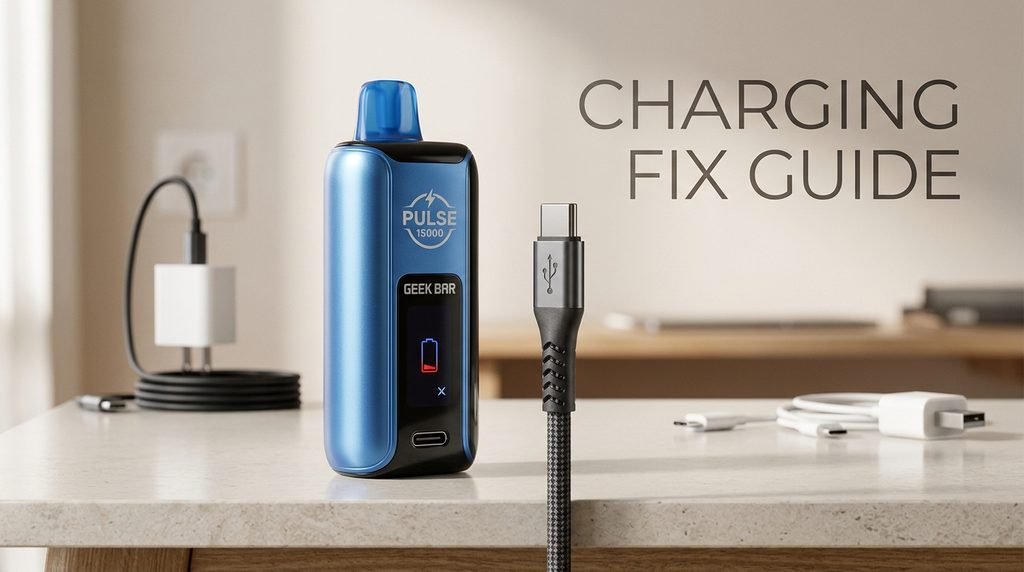
Pocket lint, dust, and tiny bits of debris can pack into the charging port over time. When that happens, the cable cannot seat fully, and the connection becomes unreliable. Turn the device off if possible, then use a wooden toothpick or a soft dry brush to carefully clear the opening.
Keep the motion light and never force anything into the port. Avoid using metal pins or paper clips, because they can short the contacts or bend them out of shape. If you see signs of moisture or sticky residue, let the device dry completely in a cool place before trying to charge it again.
Be Patient With a Deeply Drained Battery
If the battery has been fully drained, it may take a few minutes before any indicator appears. Leave the device connected for at least ten to fifteen minutes before you decide it is not charging. Some units show a very faint response at first, then wake up as the battery recovers enough to power the display.
Charging Safety You Should Not Skip
Never leave a charging device unattended for long periods, and never charge it on a bed, couch, or any soft surface that can trap heat. If the device becomes unusually hot, swells, smells strange, or makes a hissing sound, unplug it right away and stop using it. A damaged lithium battery is a real hazard, and no amount of Geek Bar Pulse 15000 troubleshooting is worth the risk of a fire or injury.
Geek Bar Pulse Charging Issues That Keep Coming Back
Sometimes the device charges once and then fails again a day later. Recurring Geek Bar Pulse charging issues can feel confusing because the problem seems to come and go. The pattern usually reveals the cause if you pay attention to when it happens.
Charging Stops Early
If the battery indicator climbs and then drops back, or the charger light goes off long before the battery is full, the connection may be shifting. A slightly worn port or a cable with a loose end can cause this. Gently check whether the cable sits firmly and does not wobble when touched.
You can also test by leaving the device completely still while it charges. If it charges normally when untouched but stops when moved, the physical connection is the problem. In that situation, a fresh cable is the first thing to try, and if that does not help, the port itself may be worn.
Battery Drains Too Fast After Charging
A battery that charges but empties very quickly can point to heavy use, cold temperatures, or an aging cell. Cold air reduces battery performance noticeably, so a device left in a cold car may seem much weaker than it really is. Let it warm up to room temperature before judging the battery.
If you use the higher power mode most of the time, the battery will naturally drain faster than in the standard mode. This is normal behavior rather than a defect. Switching to the milder mode when you do not need extra strength can stretch each charge noticeably and keeps Geek Bar Pulse 15000 troubleshooting questions to a minimum.
The Device Charges but Will Not Turn On
This situation often comes down to a low battery that has not reached a usable level yet. Allow the device to charge for a longer stretch, then unplug it and try a slow inhale. If the screen shows a charging animation but the device never responds afterward, a fault in the circuit board is possible, and replacement is usually the practical choice.
Geek Bar Pulse Screen Not Working: Causes and Fixes
The display is a favorite feature, so it is especially annoying when it misbehaves. A Geek Bar Pulse screen not working can range from a completely blank display to flickering numbers or a screen that shows incorrect information. Each version has its own likely cause.
The Screen Stays Blank
A blank screen often means the battery is too low to power the display. Connect the device to a working charger and give it time. If the screen stays dark after a proper charge, try pressing the button in different ways described in your packaging, since the display may be set to sleep until woken.
It is also worth checking whether the device still produces vapor with a dark screen. If it does, the display may have failed while the rest of the device remains functional. In that case, you can still use the unit, though you will not see the battery or liquid readings. This kind of detail is useful to note during Geek Bar Pulse 15000 troubleshooting because it tells you which part has failed.
The Screen Flickers or Shows Odd Symbols
Flickering usually appears when the battery is nearly empty or when the power connection is unstable. Charge the device fully and see whether the behavior changes. If the flicker happens only while charging, the cable or adapter may be delivering uneven power, and switching to a different one often solves it.
Moisture can also cause strange screen behavior. If the device was exposed to rain, a humid bathroom, or a spill, let it dry in a cool, ventilated spot for several hours. Do not use a hair dryer or place the device near heat, since high temperatures can damage the battery and the internal parts.
The Readings Seem Wrong
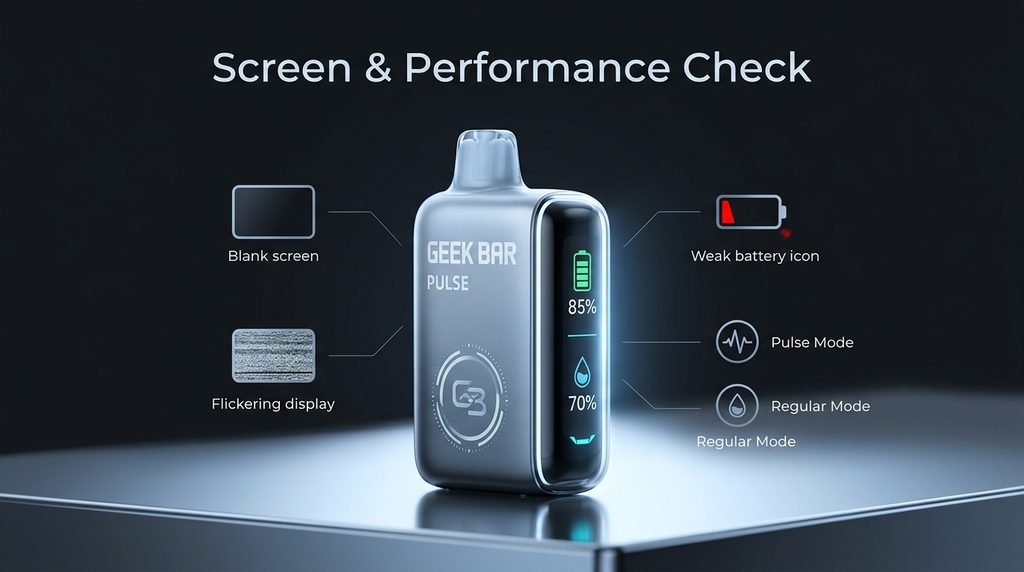
Sometimes the screen shows a battery level that does not match how the device feels, or a liquid level that seems off. These indicators are estimates, not precise measurements. A battery that reads half full may drop quickly under heavy use, and the liquid indicator may not change smoothly. Treat the numbers as a rough guide rather than an exact count.
If the display shows an empty liquid level but you can still taste flavor, the device is likely close to the end of its life but not completely finished. Once the flavor turns harsh or burnt, stop using it, because a dry coil can produce unpleasant and potentially harmful vapor. Knowing when to stop is an important part of safe Geek Bar Pulse 15000 troubleshooting.
Weak Vapor, Burnt Taste, and Other Performance Problems
Not every issue involves the battery or the screen. Some of the most common complaints are about how the device feels in use. Here is how to handle the usual ones.
Thin or Weak Vapor
Weak vapor can come from a low battery, a blocked airflow path, or a coil that is not getting enough liquid. Start by charging the device fully. Next, hold it upright and take a few slow, gentle puffs to help liquid move into the coil. Avoid chain vaping, since rapid puffing dries out the cotton and leads to a burnt taste.
If the device has been stored on its side or upside down, liquid may have shifted away from the coil. Standing it upright for a few minutes can fix the flow. This small habit is a quiet hero of Geek Bar Pulse 15000 troubleshooting because it prevents so many problems before they start.
Burnt or Harsh Taste
A burnt taste usually signals a coil that is running dry. This can happen when you take long, rapid puffs or when the liquid is nearly gone. Rest the device, take smaller and slower puffs, and see whether the taste improves. If the harshness stays, the coil is probably worn out and the device has reached the end of its useful life.
Do not keep pushing through a burnt taste. It will not improve, and it may irritate your throat and lungs. Setting the device aside and switching to a fresh one is the safest option.
Leaking and Gurgling
Leaks can happen when the device is exposed to pressure changes, such as during air travel, or when it is carried upside down. Wipe away any liquid from the mouthpiece and the base with a dry cloth. Keep the device upright when you can, and avoid blowing into it.
A gurgling sound usually means excess liquid is sitting near the mouthpiece. Tap the device gently on a soft surface with the mouthpiece pointing down onto a tissue, then wipe it clean. If the leaking is heavy or continues after cleaning, the internal seal may be compromised, and it is best to stop using the unit.
Switching Between Modes
The two available modes change how the device delivers power, which affects flavor intensity, throat feel, and battery life. If the device suddenly feels stronger or weaker than usual, you may have switched modes by accident. Check your packaging for the exact button sequence and confirm which mode is active on the screen.
Many people mistake a mode change for a fault. Spending a minute confirming the mode can save you from unnecessary Geek Bar Pulse 15000 troubleshooting and from replacing a perfectly good device.
Everyday Habits That Prevent Problems
The best fix is the one you never need. A few simple habits can keep your device running well for its full lifespan and reduce the chance that you will need Geek Bar Pulse 15000 troubleshooting at all.
Charge Before the Battery Hits Zero
Lithium batteries last longer when they are not drained completely every time. Plug in your device when the battery gets low rather than waiting until it dies. Likewise, try not to leave it plugged in for many hours after it reaches full charge.
Store It Upright in a Cool Place
Heat is hard on both the battery and the liquid. Avoid leaving the device on a car dashboard, near a window in direct sun, or next to a heater. Cold can also cause problems, so a stable room temperature is ideal. Keep it upright whenever you can so liquid stays near the coil.
Keep It Clean and Dry
Lint in pockets and bags can find its way into the charging port and the airflow inlet. Wiping the outside of the device with a dry cloth now and then helps prevent buildup. If you carry it in a bag, consider a small case to keep debris away.
Take Slow Puffs and Give It Breaks
Gentle, spaced out puffs let the coil stay saturated and help the battery cool between uses. This also makes the flavor last longer. Habits like these are the simplest form of Geek Bar Pulse 15000 troubleshooting because they stop issues before they appear.
Safety Notes Every User Should Know
Because this device contains a lithium battery, safety deserves its own section. Never use a device that is swollen, cracked, or leaking from the battery area. Do not try to open the casing, remove the battery, or modify any part of the device. These actions can cause short circuits, burns, or fires.
Keep the device away from children and pets at all times. The liquid contains nicotine, which is harmful if swallowed or if it touches the skin in large amounts. If a leak gets on your skin, wash the area with soap and water. If you have concerns about exposure, contact a medical professional or your local poison control service.
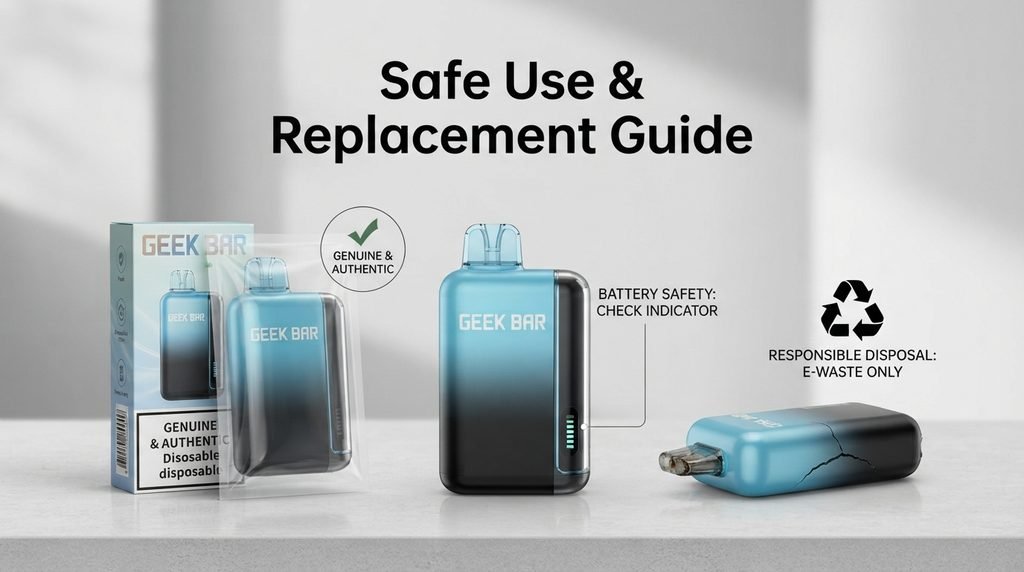
Dispose of dead devices responsibly. Do not throw them in regular household trash or in a fire. Many areas offer battery recycling or electronic waste drop off points, and some vape retailers accept used devices. Responsible disposal protects waste workers and the environment.
When Geek Bar Pulse 15000 Troubleshooting Does Not Help
You have tried a new cable, a different power source, a clean port, a long rest, and a careful mode check. If the device still refuses to work, it may be time to accept that the unit has a hardware fault or has simply reached the end of its life. Disposable devices are not designed to be repaired, and opening one is unsafe.
Signs It Is Time to Replace the Device
Consider replacing the unit if the battery will not hold a charge after several attempts, if the coil gives a burnt taste even with fresh liquid, if the device leaks heavily, or if the casing shows damage. Any sign of swelling, unusual heat, or smell during charging is a clear signal to stop at once.
How to Contact the Seller or Manufacturer
If your device is new and stopped working soon after purchase, reach out to the shop where you bought it. Many retailers have a return or exchange policy for defective products, especially within the first few days. Keep your receipt, take clear photos of the device and the batch information on the packaging, and describe the problem in detail.
When you contact support, mention the steps you already tried during your Geek Bar Pulse 15000 troubleshooting. This shows that you have done your part and helps the support team respond faster. Be polite and specific, and you will usually get a helpful answer.
A Word on Counterfeit Products
Popular devices attract fake copies, and counterfeits are far more likely to have charging faults, weak batteries, and unreliable screens. Buy from trusted, licensed retailers and check the authenticity features on the packaging. If you suspect a fake, stop using it and report it to the seller. A real device from a reputable source will almost always be easier to troubleshoot and safer to use.
Frequently Asked Questions About Geek Bar Pulse 15000 Troubleshooting
Why is my Geek Bar Pulse 15000 Troubleshooting not working after I charged it?
A device that charges but does not respond often has a mode or sensor issue rather than a power problem. Try a slow, steady inhale, check that the mode is active, and make sure no film covers the airflow inlet. If nothing changes, the sensor or circuit board may have failed, and replacement is the next step.
How long should the device take to charge?
Charging time varies with the adapter and the starting battery level, but most devices of this type reach full in under an hour or so. If it takes much longer, try a different cable and a basic wall adapter. Slow charging often points to a worn cable instead of a bad battery.
Can I use a fast charger for my Geek Bar Pulse?
A standard low power adapter is the safer choice. Very high output chargers are meant for phones and laptops, and while many negotiate power correctly, a basic 5 volt adapter removes any doubt. If you notice heat or unusual behavior, switch chargers right away.
What should I do if the Geek Bar Pulse screen is not working but the vapor still works?
You can keep using the device if it performs normally, but you will not see battery or liquid information. Watch for signs of a weak battery, such as thinner vapor, and charge before it runs completely empty. A Geek Bar Pulse screen not working on its own is usually a display fault rather than a safety risk.
Why does my device taste burnt even though the screen shows liquid?
The liquid indicator is an estimate. A burnt taste can appear if the coil is not wicking fast enough, often because of rapid puffing or a worn coil. Rest the device and take slower puffs. If the taste continues, the coil is likely finished.
Is it normal for the device to get warm?
Mild warmth during use or charging is normal. If it becomes hot to the touch, smells odd, or changes shape, unplug it at once and stop using it. That kind of reaction is never part of normal Geek Bar Pulse 15000 troubleshooting and should be treated as a safety issue.
Can I fix a Geek Bar Pulse not charging problem by resetting it?
These devices do not have a formal reset, but leaving the device unplugged and untouched for a short time, then reconnecting it with a fresh cable, can clear temporary glitches. If a Geek Bar Pulse not charging problem remains after trying a new cable and adapter, the port or battery is probably damaged.
Final Thoughts on Geek Bar Pulse 15000 Troubleshooting
Most problems with this device have simple explanations and simple fixes. Start with the basics: remove any film, check the mode, try a slow inhale, and let the device rest. For charging trouble, replace the cable, switch the power source, and clean the port gently. For display trouble, charge fully, keep the device dry, and remember that the readings are estimates.
If you have worked through every step and the device still fails, do not force it. Safety comes first, and a faulty battery is not something to experiment with. Dispose of the unit properly and replace it with a genuine product from a trusted seller. With a little patience and good habits, Geek Bar Pulse 15000 troubleshooting becomes a quick routine rather than a source of stress, and you can get back to using your device with confidence.