
186 Smart Tips: The Definitive Touchscreen Vape Guide for Modern Vapers
Your phone has a touchscreen. Your watch has a touchscreen. Your car dashboard probably has one too. It was only a matter of time before vapes joined the club. The touchscreen vape brings the familiar tap-and-swipe interface to vaping hardware, replacing cryptic button combinations with a visual menu you can actually see and understand.
For modern vapers who expect their gadgets to be intuitive, the touchscreen vape is a welcome upgrade. Instead of memorizing click sequences, you tap an icon. Instead of guessing your battery level from a blinking light, you read a percentage. The screen turns the device from a mysterious black box into an open book.
This definitive guide collects 186 smart tips about the touchscreen vape, covering everything from display technology and settings mastery to buying advice, maintenance, and troubleshooting. If you are shopping for your first screen-equipped device or looking to get more from the one you own, you will find practical guidance here.
What Is a Touchscreen Vape?
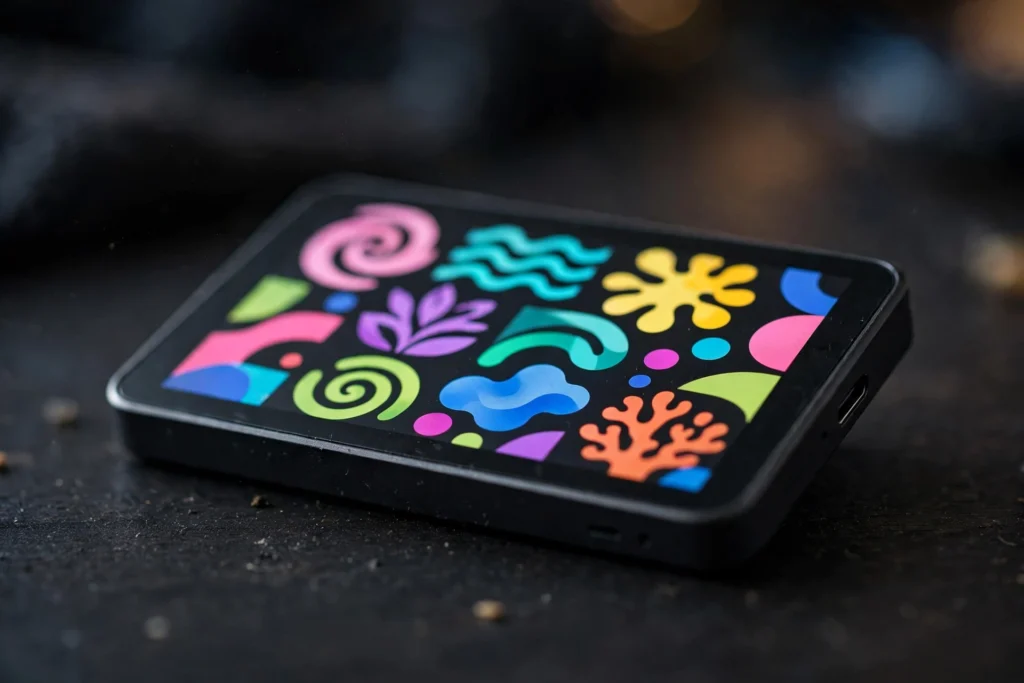
A touchscreen vape is a vaping device with an interactive display that responds to touch input. Unlike basic screen devices that only show information, a true touchscreen vape lets you tap, swipe, or press on-screen controls to change settings, switch modes, and navigate menus.
The distinction matters. Many vapes now include small displays that show battery life and puff counts. Those are screen vapes, but not necessarily touchscreen vapes. A touchscreen vape goes further by making the display an input device, not just an output. You interact with it the way you interact with your phone.
This interactivity is the heart of the touchscreen vape appeal. Menus replace button codes. Sliders replace click counting. Visual confirmations replace guesswork. For users who find traditional vape interfaces confusing, the touchscreen vape removes the learning curve almost entirely.
Display Technologies in the Touchscreen Vape
Not all touchscreens are equal. The touchscreen vape market uses several display types, and knowing the differences helps you shop wisely.
TFT Displays
Thin-film transistor displays are the most common in the touchscreen vape world. They are affordable, reasonably bright, and responsive enough for simple menus. Most mid-range touchscreen vape devices use TFT panels, and they handle the job well.
TFT screens can look washed out at extreme viewing angles, but since you hold the device directly in front of you, this rarely matters. For the menus and readouts of a touchscreen vape, TFT is perfectly adequate.
OLED Displays
Organic LED displays appear on premium models. They offer deeper blacks, higher contrast, and more vibrant colors than TFT. An OLED touchscreen vape looks stunning, with crisp text and rich graphics that make the interface feel high-end.
OLED panels also use less power when showing dark interfaces, which can slightly extend battery life. If display quality matters to you, an OLED touchscreen vape is worth the premium.
Touch Sensitivity Types
Most touchscreen vape devices use capacitive touch, the same technology as smartphones. It responds to the electrical properties of your finger, giving precise, familiar control. A capacitive touchscreen vape feels natural from the first use.
Some rugged or budget models use resistive touch, which responds to pressure. It works with gloves but feels less refined. Capacitive is the better experience for a touchscreen vape, so check the specs if touch quality matters to you.
Screen Size Considerations
Touchscreen vape displays are necessarily small, typically under two inches diagonal. This is enough for clear menus and readable text, but interface designers must be economical with space. The best touchscreen vape interfaces use large touch targets and simple layouts.
Bigger is not always better. A larger screen consumes more battery and adds bulk. The ideal touchscreen vape balances readability with portability, and most manufacturers have settled on similar sizes for good reason.
186 Smart Tips for Touchscreen Vape Owners
The tips below are organized by theme, from first setup through advanced mastery. Each one is practical and specific to the touchscreen vape experience.
Tips for First-Time Setup
Unbox carefully and inspect the screen for a protective film. Most touchscreen vape devices ship with a plastic film over the display. Peel it off for the clearest view and best touch response.
Charge fully before first use. A complete initial charge calibrates the battery gauge, so your touchscreen vape reports accurate percentages from the start.
Explore the menu before vaping. Tap through every screen and submenu to learn what your touchscreen vape can do. Five minutes of exploration now saves confusion later.
Set your preferred language if the option exists. Some touchscreen vape devices offer multiple languages, and choosing yours makes every menu clearer.
Adjust screen brightness to your liking. A dimmer screen saves battery, while a brighter screen is easier to read outdoors. Your touchscreen vape likely offers several brightness levels.
Set the screen timeout. A short timeout saves battery by turning the display off quickly. A longer timeout is convenient if you check stats often. Find the balance that suits your touchscreen vape usage.
Create a mental map of the menu structure. Note where settings, puff counters, and mode selections live. Familiarity makes your touchscreen vape faster to operate.
Check for firmware updates during setup. Manufacturers improve touchscreen vape software over time, and starting current avoids known bugs.
Register your device if the brand offers it. Registration can simplify warranty claims for your touchscreen vape down the road.
Read the quick-start guide. Even intuitive devices have quirks, and the guide highlights them. Ten minutes with the manual improves your touchscreen vape experience measurably.
Tips for Navigating the Interface
Use deliberate taps. Small screens need precise touches. A firm, centered tap registers more reliably than a light brush on a touchscreen vape.
Learn the swipe gestures. Many touchscreen vape interfaces use swipes to move between screens or adjust sliders. Practice the gestures until they feel natural.
Look for long-press shortcuts. Some touchscreen vape menus hide advanced options behind a long press. Experiment to discover them.
Use the back button or gesture consistently. Knowing how to retreat from a submenu prevents getting lost in your touchscreen vape interface.
Watch for confirmation prompts. Important changes like factory resets usually ask for confirmation. Read these prompts on your touchscreen vape before tapping yes.
Customize the home screen if possible. Putting your most-used readouts front and center makes the touchscreen vape quicker to check at a glance.
Memorize the location of the power mode selector. Switching modes is the most common adjustment, and knowing exactly where it lives on your touchscreen vape saves time.
Check the puff counter location. Whether you track usage casually or carefully, quick access to the counter is handy on any touchscreen vape.
Learn the lock gesture. Locking the screen prevents accidental changes in your pocket. Every touchscreen vape owner should know this.
Explore display themes. Many devices offer light and dark themes or color accents. A theme you enjoy makes the touchscreen vape more pleasant to use daily.
Tips for Power and Mode Settings
Understand the preset modes. Most touchscreen vape devices offer two to four modes with names like eco, standard, boost, or similar. Each mode is a tuned power curve, and your touchscreen vape switches instantly.
Start with the standard mode. It is tuned for balanced performance and works well for most users. Only explore other modes on your touchscreen vape after you know the baseline.
Try eco mode when battery is low. Reduced power stretches each charge significantly. Eco mode is one of the most practical features of a touchscreen vape for long days.
Use boost mode sparingly. Higher power means warmer vapor and faster battery drain. Boost is fun on a touchscreen vape but not ideal as an all-day setting.
Notice how modes affect flavor. Higher power often intensifies flavor but can also mute subtle notes. Experiment with modes on your touchscreen vape to find your sweet spot.
Check whether modes affect the puff counter. Some devices estimate remaining puffs based on the active mode. Your touchscreen vape may adjust its estimates when you switch.
Avoid changing modes mid-puff. Let the device settle for a second after switching. This small habit keeps the touchscreen vape performing consistently.
Remember your favorite mode. If your touchscreen vape does not save it automatically, note which mode you prefer so you can reselect after charging.
Compare modes with the same e-liquid. Switching liquids and modes simultaneously makes it hard to tell what changed. Isolate variables when exploring your touchscreen vape.
Do not chase the highest setting by default. More power is not always better. The best setting on a touchscreen vape is the one that tastes right to you.
Tips for Battery Management
Watch the battery percentage, not just the icon. Precise numbers help you plan. The percentage readout is a core advantage of a the touch-screen device.
Learn your device’s real-world battery life. Track how many hours or puffs a charge delivers for your usage. Your the touchscreen device gives you the data to learn this quickly.
Charge before the battery hits zero. Lithium batteries last longer when topped up regularly. Do not routinely drain your these interactive devices completely.
Use the recommended charger type. USB-C is standard for the modern touch-enabled vapes. Using the right cable and adapter keeps charging safe and fast.
Avoid charging in extreme heat. Do not leave your the device charging in a hot car. Heat stresses batteries and shortens their lifespan.
Unplug when fully charged if convenient. Modern devices stop charging automatically, but unplugging avoids unnecessary trickle time for your this screen-equipped vape.
Check the charging screen for estimates. Many the touch-screen device devices show time remaining while charging. This helps you plan around the wait.
Keep the charging port clean. Pocket lint in the port causes slow or failed charging. A quick cleaning keeps your the touchscreen device charging reliably.
Consider a portable power bank for travel. A small bank can recharge your these interactive devices anywhere, which is reassuring on long days.
Watch for battery health indicators. Some devices show capacity relative to new. Declining health in your touch-enabled vapes is normal over months and signals eventual replacement.
Tips for E-Liquid and Flavor
Match e-liquid to your device type. A the device designed for nicotine salts performs best with salt liquids, while sub-ohm touchscreen models suit freebase. Using the right liquid matters more than any setting.
Prime new coils or pods. Let e-liquid soak into the wick for several minutes before first use. Skipping this step burns the coil and ruins the flavor of your this screen-equipped vape.
Try one flavor at a time when testing modes. Changing both flavor and settings confuses the comparison. Systematic testing gets the most from your the touch-screen device.
Note which mode suits each flavor. You may find fruity liquids shine in standard mode while desserts prefer boost. Your the touchscreen device lets you pair modes to flavors deliberately.
Store e-liquid properly. Cool, dark places preserve flavor. Heat and light degrade liquid, and no these interactive devices setting can fix stale juice.
Rotate flavors to avoid fatigue. Vaping one flavor constantly dulls your perception. Variety keeps your palate fresh and your touch-enabled vapes enjoyable.
Watch for coil gunk with sweet liquids. Sugary e-liquids caramelize on coils faster. If flavor drops on your the device, the coil may need replacing.
Keep spare pods or coils handy. Running out mid-day is frustrating. A backup keeps your this screen-equipped vape ready whenever you are.
Do not mix incompatible liquids in one pod. Stick to one flavor per pod or coil. Mixing can produce unpleasant Results that no the touch-screen device menu can fix.
Buy authentic e-liquid from trusted sellers. Counterfeit liquid can damage coils and taste wrong. Shops like DiscoverVapes stock genuine products that pair well with any the touchscreen device.
Tips for Display Care
Apply a screen protector if available. Third-party protectors for popular these interactive devices models prevent scratches. It is cheap insurance.
Clean the screen with a microfiber cloth. Avoid harsh chemicals. Gentle cleaning keeps your touch-enabled vapes display clear and responsive.
Do not press excessively hard. Capacitive screens need only light touches. Pressing hard on a the device risks damage without improving response.
Keep the screen dry. Most devices are not waterproof. Wipe off moisture promptly to protect your this screen-equipped vape electronics.
Avoid extreme cold. Screens can become sluggish in freezing temperatures. Warm the device in your hands before expecting full the touch-screen device responsiveness.
Check touch calibration if touches misregister. Some devices offer recalibration in settings. Accurate touch keeps your the touchscreen device pleasant to use.
Do not use sharp objects on the screen. Only fingers or capacitive styluses belong on a these interactive devices. Pens and keys will scratch it.
Store the device screen-side protected. In a bag, position the screen away from keys and coins. Simple care extends the life of your touch-enabled vapes display.
Watch for dead pixels early. Check the screen on arrival. Warranty coverage for display defects on a the device is easiest to claim immediately.
Dim the screen at night. Lower brightness is easier on the eyes and saves battery. Night-friendly settings make the this screen-equipped vape better around the clock.
Tips for Troubleshooting
If the screen freezes, restart the device. Most the touch-screen device models restart with a long button press or a menu option. Freezes are rare but fixable.
If touch stops responding, check for moisture. Wet fingers confuse capacitive screens. Dry your hands and the screen of your the touchscreen device.
If the battery drains fast, check screen timeout and brightness. A long timeout with high brightness is the usual culprit. Adjusting these on your these interactive devices often solves it.
If flavor tastes burnt, the coil likely needs replacing. No touch-enabled vapes setting revives a burnt coil. Swap it and prime the new one properly.
If vapor is weak, check the power mode and battery level. Low battery reduces output on many devices. Charge your the device and retest.
If the device will not charge, try another cable. Cables fail more often than devices. Testing with a known-good cable isolates the issue with your this screen-equipped vape.
If puff counts seem wrong, check for accidental activation. A device firing in your pocket inflates the count. Locking the screen on your the touch-screen device prevents this.
If the app will not pair, toggle Bluetooth on both devices. Re-pairing resolves most connection issues. Your the touchscreen device and phone sometimes just need a fresh handshake.
If menus are in the wrong language, find the language setting via icons. Even without reading the words, icons guide you. Reset your these interactive devices language carefully.
If all else fails, factory reset. This restores defaults and clears glitches. Back up any profiles first, since reset erases customization on your touch-enabled vapes.
Tips for Advanced Users
Create custom power curves if supported. Some the device devices let you shape output over the puff duration. This is advanced but rewarding.
Experiment with preheat functions. A short preheat warms the coil before your draw. On a this screen-equipped vape with this option, it can improve first-puff flavor.
Use puff tracking deliberately. Set personal targets and review weekly summaries. The data in your the touch-screen device supports mindful usage.
Compare e-liquids systematically. Vape each in the same mode and note differences. Your the touchscreen device is a consistent test platform.
Learn the chipset name. Knowing which chip powers your these interactive devices helps you find community tips and firmware news.
Join user communities. Forums and groups discuss specific touch-enabled vapes models in depth. Shared knowledge accelerates your learning.
Watch for beta firmware. Enthusiast brands sometimes offer test releases. Beta software for a the device can add features early, with some risk.
Document your favorite settings. Screenshot or write down what works. If you reset your this screen-equipped vape, you can restore your setup instantly.
Try the device with different draw styles. Long slow draws versus short firm ones interact differently with power modes. Your the touch-screen device reveals these nuances.
Teach a friend. Explaining your the touchscreen device to someone else deepens your own understanding. Teaching is the final stage of mastery.
Tips for Buying Your Next Touchscreen Vape
Prioritize display readability. In the store or in reviews, check text clarity and brightness. A these interactive devices lives or dies by its screen.
Test touch responsiveness if possible. Laggy touch ruins the experience. A snappy touch-enabled vapes feels premium immediately.
Compare battery capacities. Larger batteries support the screen and longer vaping. Battery specs are critical for any the device.
Check the charging standard. USB-C is the modern expectation. Avoid devices with outdated ports when buying a this screen-equipped vape.
Read recent reviews. The touch-screen device software improves over time, so recent reviews reflect the current experience better than launch reviews.
Verify app compatibility. If you want app features, confirm the app supports your phone OS. A the touchscreen device with a neglected app disappoints.
Consider the e-liquid system. Prefilled, refillable pods, or tanks each have trade-offs. Choose the system that fits your habits for your these interactive devices.
Check authenticity protections. Verification codes and authorized retailers matter. Buy your touch-enabled vapes from trusted shops like DiscoverVapes.
Evaluate the warranty. Screens add a failure point, so good warranty terms matter more. A solid warranty protects your the device investment.
Do not overbuy features. If you will never use custom curves, a simpler this screen-equipped vape saves money. Match the device to your actual needs.
Tips for Safety and Responsibility
Keep devices away from children and pets. Screens attract curious fingers. Secure storage is essential for any the touch-screen device.
Do not modify the device. Third-party firmware or hardware mods can bypass safety features. Use your the touchscreen device as designed.
Use authentic chargers. Cheap chargers can damage batteries. Quality charging protects your these interactive devices and your home.
Do not vape where prohibited. A touch-enabled vapes is still a vape. Respect local rules and the people around you.
Know the nicotine strength you use. Screens sometimes display it, but verify on the packaging. Informed use of your the device starts with knowing what is inside.
Take breaks. Chain vaping overheats coils and dulls flavor. Pausing between puffs improves the experience and the lifespan of your this screen-equipped vape.
Stay informed about regulations. Rules change, and they affect what you can buy and where you can vape. Authoritative sources like the FDA tobacco products page provide current information relevant to every the touch-screen device owner.
Do not drive distracted. Adjusting settings while driving is dangerous. Set your the touchscreen device before you start moving.
Respect others’ space. Even pleasant vapor can bother people nearby. Considerate use keeps vaping welcome in shared spaces.
If something seems wrong, stop using the device. Unusual heat, smells, or behavior warrant caution. No these interactive devices is worth a safety risk.
Touchscreen Vape Versus Button-Operated Devices
The core difference is the interface. Button-operated devices use click sequences: five clicks to turn on, three to change mode, and so on. A touch-enabled vapes replaces all of that with visual menus. For most users, the touchscreen is faster to learn and easier to remember.
Speed of adjustment favors the the device. Changing wattage with a slider takes a second. Doing it with button clicks takes much longer. When you want to tweak something, the this screen-equipped vape wins.
Precision also favors touch. Sliders and numeric inputs allow exact values. Button systems often step through presets. If you like fine control, the the touch-screen device delivers it.
Durability slightly favors buttons. Screens can crack, while buttons are simple and tough. A the touchscreen device needs a bit more careful handling than a button-only device.
Cost favors buttons. Screens add expense. A these interactive devices typically costs more than an equivalent button model, though prices keep falling.
Battery impact is minor. Modern screens are efficient, and the difference in battery life between a touch-enabled vapes and a button device with a basic display is small.
The choice is personal. If you value intuitive control, get the the device. If you want maximum simplicity and toughness, buttons remain excellent. Many vapers own both.
Touchscreen Vape Versus Non-Screen Devices
Stepping back further, how does a this screen-equipped vape compare to devices with no screen at all?
Information is the biggest gap. Non-screen devices tell you almost nothing. A the touch-screen device shows battery, puffs, modes, and more. Once you are used to the data, going back feels blind.
Control is the second gap. Non-screen devices offer whatever the factory set. A the touchscreen device lets you adjust and personalize. The difference is like a fixed-gear bike versus one with gears.
Price is where non-screen devices win. They are cheaper to buy, which matters for budget shoppers. A these interactive devices is a premium purchase.
Simplicity also favors non-screen devices. There is nothing to learn and nothing to break. For users who want vaping to be thoughtless, simpler is better.
Most vapers who try a touch-enabled vapes do not go back. The information and control become part of the routine. But the simple devices retain a loyal following, and both have their place.
For foundational knowledge before choosing, our beginner vape guide explains device types clearly. It pairs well with this the device deep dive.
The Future of the Touchscreen Vape
Where does the this screen-equipped vape go from here? Several trends are visible.
Larger, sharper displays are coming. As costs fall, bigger OLED screens will reach mid-range devices. The the touch-screen device of tomorrow will look even more like a phone.
More customization is likely. Themes, widgets, and layout options will expand. Personalization is a key direction for the the touchscreen device.
Deeper app integration will continue. Expect richer analytics and cross-device syncing. The software side of the these interactive devices is still maturing.
Haptic feedback may arrive. Subtle vibrations confirming touches would improve usability. Haptics are standard on phones, and the touch-enabled vapes could adopt them.
Voice control is a possibility. Speaking commands to your device sounds futuristic, but the technology exists. A voice-enabled the device is conceivable within a few years.
Battery efficiency will improve. Better chips and displays will stretch battery life. Future this screen-equipped vape devices will do more on each charge.
Prices will fall. As with all electronics, today’s premium features become tomorrow’s standard. The the touch-screen device will keep getting more affordable.
Regulation will shape the market. Display content and app features must comply with local rules. Manufacturers of the the touchscreen device will adapt as requirements evolve.
Frequently Asked Questions About the Touchscreen Vape
Is a touchscreen vape harder to use than a regular vape?
No, it is easier for most people. Menus with icons are more intuitive than button click sequences. If you can use a smartphone, you can use a these interactive devices. The learning curve is shorter, not longer.
Does the screen drain the battery quickly?
Modern displays are efficient. The screen uses far less power than the heating coil. Battery life on a touch-enabled vapes is comparable to similar button devices with basic displays. Screen timeout settings help minimize impact.
Can I use a touchscreen vape with gloves?
Capacitive screens need skin contact, so standard gloves block input. Touchscreen-compatible gloves or a capacitive stylus solve this. It is a minor winter consideration for the device owners.
Are touchscreen vapes more fragile?
The screen adds a vulnerability, but devices are built to handle daily use. Reasonable care prevents most damage. A this screen-equipped vape is no more fragile than your phone, which you already carry everywhere.
Do all touchscreen vapes need a phone app?
No. The touchscreen handles everything on the device. Apps are optional extras for tracking and remote control. Your the touch-screen device is fully functional without ever pairing a phone.
How do I clean the touchscreen?
Use a dry or slightly damp microfiber cloth. Avoid harsh cleaners and excess liquid. Gentle, regular cleaning keeps your the touchscreen device display clear.
Can the screen be replaced if it breaks?
Generally no. Screens are integrated into the device. A broken screen usually means replacing the unit. This is why careful handling and warranty coverage matter for a these interactive devices.
Is a touchscreen vape worth the extra cost?
If you value information and control, yes. The ability to see battery life, track puffs, and adjust settings easily justifies the premium for most buyers. A touch-enabled vapes pays for itself in convenience.
Final Thoughts on the Touchscreen Vape
The the device takes the guesswork out of vaping. Instead of blinking lights and memorized click patterns, you get a clear visual interface that shows what is happening and lets you change it with a tap. It is the most intuitive way to interact with a vaping device, and it keeps getting better.
The 186 smart tips in this guide cover the full journey, from unboxing and setup through advanced customization and troubleshooting. The common thread is this: a this screen-equipped vape rewards a little attention with a lot of convenience. Learn the interface, care for the screen, and the device takes care of the rest.
If you are upgrading from a basic disposable or choosing your first serious device, the the touch-screen device is worth considering. Browse authentic options at DiscoverVapes, and for help comparing device categories, revisit our vape device guide. The future of vaping is touchable, and now you know how to master it.