
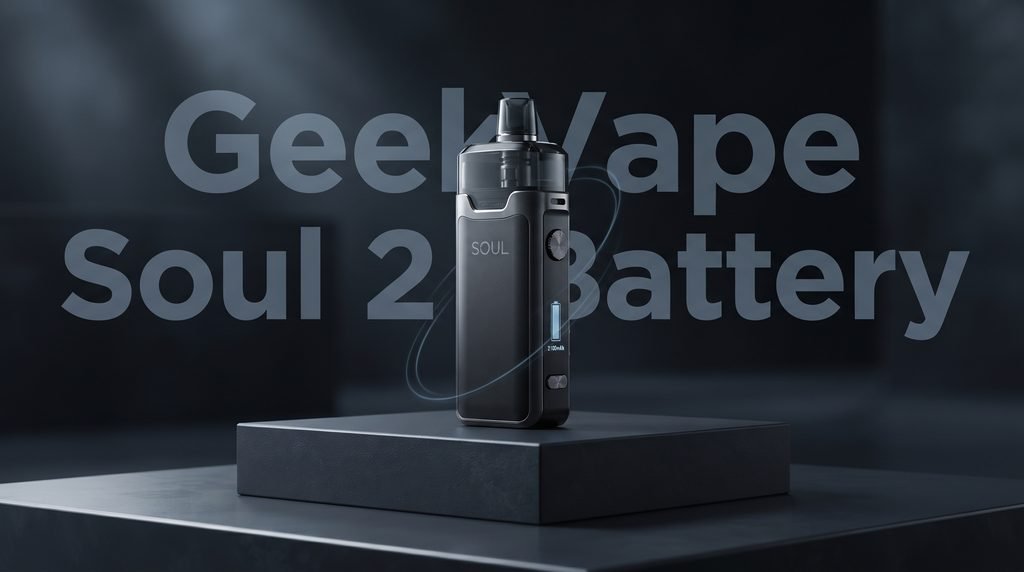
GeekVape Soul 2 Battery Life and Charging Guide: 7 Best Tips
If you have ever been caught out with a dead pod kit on a long day, you already know why battery performance matters. This GeekVape Soul 2 Battery Life and Charging Guide walks you through everything you need to know about how the device stores power, how quickly it charges, how long a full charge really lasts, and what you can do to keep the cell healthy for as long as possible. The GeekVape Soul 2 battery life is one of the main reasons people pick this kit over smaller, lighter options, so it makes sense to understand it properly.
The GeekVape Soul 2 is a refillable pod kit released in 2025 as the follow up to the original Soul. It keeps the slim, rounded shape of the first model, but it brings a bigger battery, a higher power ceiling, and faster charging. In this article we look at the GeekVape Soul 2 battery capacity, typical run times, charging habits that help, and the small mistakes that quietly shorten a battery’s life. This guide is written for adult vapers, and everything here is based on published specifications and the way rechargeable lithium batteries behave in general.
GeekVape Soul 2 Battery Capacity Explained
The GeekVape Soul 2 battery capacity is 2100mAh. The battery is built into the body of the device, which means you cannot remove it or swap it for a spare. That is common for pod kits of this size, and it keeps the body slim and tidy. According to published specifications, the previous Soul model used a 1500mAh cell, so the newer kit gives you an extra 600mAh to work with. That is a meaningful jump, and it is the main reason the GeekVape Soul 2 battery life feels more relaxed in daily use.
What does 2100mAh actually mean?
The mAh figure is short for milliamp hours. It describes how much electrical charge the battery can hold. A higher number means the battery can supply power for longer before it runs flat, assuming the device draws the same amount of energy. Think of it like the size of a fuel tank. A bigger tank does not make the engine faster, but it does let you drive further before you stop.
Keep in mind that capacity is only one part of the story. How long the GeekVape Soul 2 battery capacity lasts in real life depends on the power level you choose, the coil inside the pod, how often you use the device, and how long each draw lasts. Two people can carry the same kit and get very different run times without either of them doing anything wrong.
How the Soul 2 compares with the original Soul
The original Soul used a 1500mAh battery and a power ceiling of around 30W. The Soul 2 moves up to 2100mAh and a maximum of 35W, with an adjustable range that starts at 5W. A larger battery feeding a slightly higher maximum output sounds like it could cancel itself out, but in practice most people vape well below the top setting. At lower and middle power levels, the extra capacity translates directly into longer use between charges.
The charging side has also improved. The older model took roughly an hour to fill up, while published figures for the Soul 2 put a full charge at around 40 minutes. So you get more capacity and you wait less time to refill it, which is a rare combination in any rechargeable device.
Other specifications that affect power use
A few other details shape how the battery behaves day to day. The kit has a 4mL refillable pod, a 0.99 inch hidden screen, dual activation through auto draw or button, and adjustable airflow. It works with 0.4 ohm, 0.6 ohm, and 1.0 ohm coils, and the device detects the coil and adjusts its output to suit. The screen shows useful information such as wattage, resistance, and remaining battery, so you never have to guess how much power is left.
How Long Does the GeekVape Soul 2 Battery Last?
This is the question most readers want answered first. The honest answer is that it depends, but we can give you a realistic picture. Retail reviews of the device describe the GeekVape Soul 2 battery life as comfortably lasting a full day for most users, and some moderate mouth to lung vapers report stretching a single charge across two days. Heavier users who run the kit at higher wattage will naturally need to top up more often.
No independent lab has published a single official run time number, and any source that promises an exact figure is guessing. Your own habits decide the result. The next few sections break down the factors that matter most so you can estimate your own numbers.
Typical run times by vaping style
Mouth to lung vapers who use a 1.0 ohm pod at a modest power setting draw the least energy per puff. On this style, the GeekVape Soul 2 battery life is at its best, and a single charge can cover a day and a half or more for many people. Users who prefer a looser, restricted direct to lung draw with a 0.6 ohm or 0.4 ohm pod will see the battery drain faster, because lower resistance coils pull more current at higher power.
A simple way to think about it is this. Light use can stretch across two days. Steady all day use usually lands at one full day with some battery to spare. Heavy use at the top of the power range may need a short charge during the afternoon. All three are normal Results for a 2100mAh battery.
A quick look at real world habits
A commuter who takes a dozen short puffs spread over the day will barely dent the battery. Someone who vapes steadily at a desk will see it drop by a fifth or more by midday. A person who chain vapes in the evening after work will burn through power much faster than either of them. The device is the same in all three cases, but the demand is completely different.
What lowers the GeekVape Soul 2 battery life
Several things can shorten a charge, and most of them are easy to control once you know about them. Higher wattage is the biggest factor, because the device simply uses more energy every second you draw. Long draws also cost more than short ones. A cold environment makes lithium batteries less efficient, so a kit left in a chilly car or a cold pocket will often show lower numbers than it does at room temperature. Finally, an old or partly clogged coil can make the device work harder to reach the same output, which also uses more power.
Understanding the Charging System
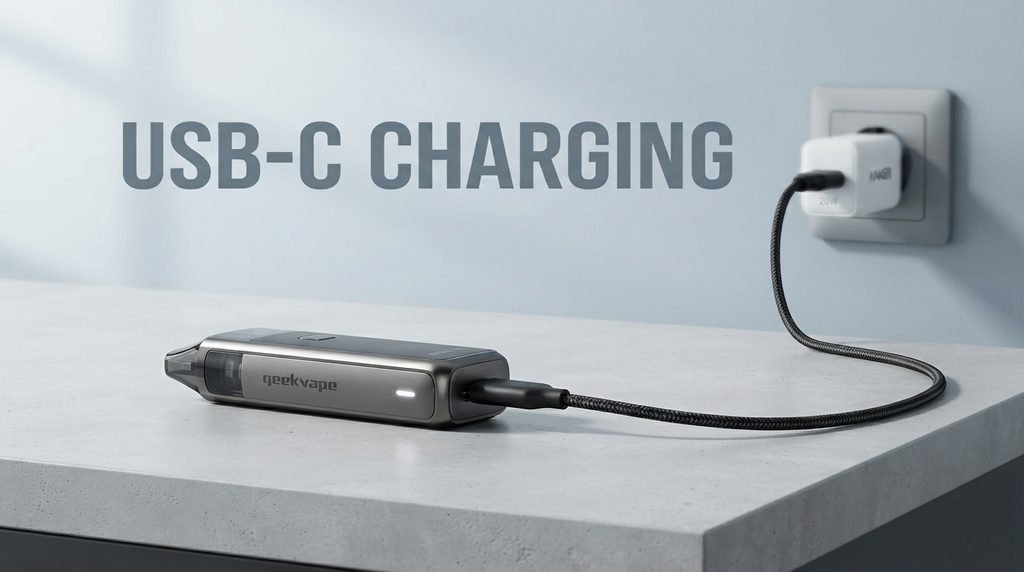
The Soul 2 charges through a USB-C port on the underside of the device. This is a welcome change from older micro USB ports, which were easy to damage and often hard to plug in without looking. USB-C connectors are reversible, which means there is no wrong way up, and they handle repeated plugging in much better over time.
Published specifications list the charging input as 5V and 2A, which works out to around 10W. A full charge takes roughly 40 minutes according to most manufacturer and retailer figures, and one independent review observed closer to 42 minutes. That small difference is normal and depends on the charger, the cable, and the starting battery level.
What you get in the box
The kit normally includes the device itself, a pod (often a spare 1.0 ohm pod as well), a USB-C cable, and a manual. The cable is fine for everyday use, but many people keep a second one at work or in a bag so they never need to carry the original around. If you buy a replacement cable, choose a good quality one from a known brand, because very cheap cables can limit the current and slow charging down.
Choosing the right charger
A standard phone charger with a 5V output and at least 1A to 2A of current is a good match for this kit. Modern fast chargers are designed to negotiate their output with the device, so they will not push too much power into a small battery. Even so, it is wise to stick with chargers from reputable brands. A charger with no brand name and no safety markings is a poor place to save money, especially when the thing being charged sits in your pocket.
Computer USB ports also work, though they are often slower. A laptop port may supply only 0.5A to 0.9A, which can stretch the charge time well beyond 40 minutes. That is fine for overnight charging, but if you are in a hurry, a wall adapter is the better choice.
Step by Step: How to Charge the Soul 2 Properly
Charging the device is simple, but a few good habits make the process safer and kinder to the battery. Follow these steps whenever you top up the kit.
The basic charging routine
- Check that the USB-C port on the bottom of the device is dry and free from lint or e liquid residue.
- Plug the USB-C cable into the charger or power source first, then connect the other end to the device.
- Watch the screen or indicator light to confirm that charging has started.
- Stay nearby if you can, and avoid leaving the kit on soft surfaces such as a bed or sofa cushion.
- Unplug the cable once the battery is full, then store the device upright and away from heat.
Should you charge it overnight?
Many people do, and most modern devices include protection circuits that stop the charge when the battery is full. Still, there is little reason to leave any lithium battery plugged in for hours after it has finished. Because the GeekVape Soul 2 fills up in about 40 minutes, a short charge before bed or during a meal is usually enough. If you do charge overnight, place the device on a hard, flat, non flammable surface and keep it away from curtains, paper, and other items that burn easily.
Signs that something is wrong while charging
Stop charging and unplug the device at once if you notice a strong smell, unusual heat, swelling, or a hissing sound. A little warmth is normal, but the body should never feel hot to the touch. If any of these signs appear, stop using the kit and contact the retailer or the brand for help.
7 Best Tips to Get More From Your GeekVape Soul 2 Battery Life
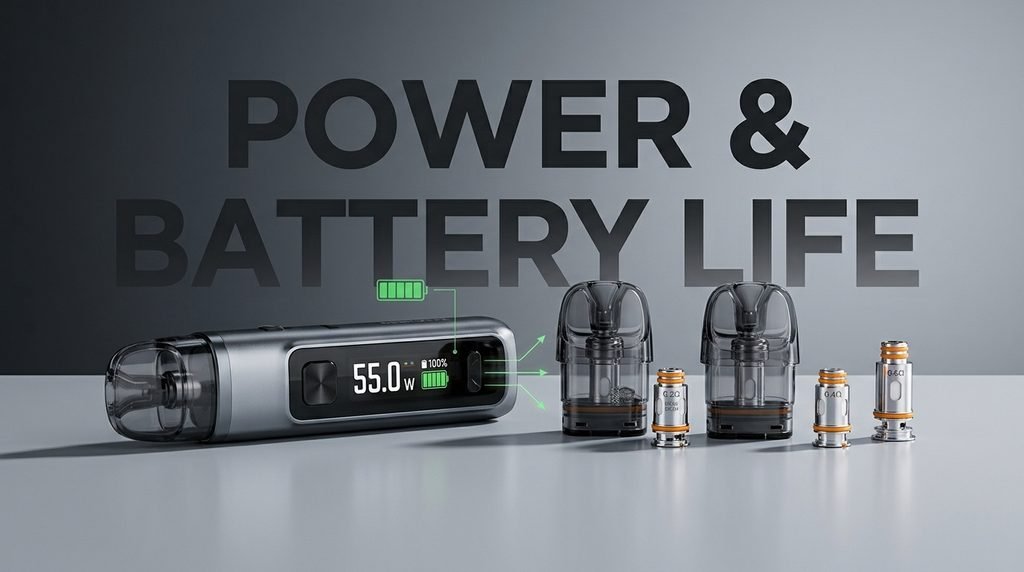
Small changes in routine can make a real difference to how long each charge lasts and how many years the battery stays healthy. These seven tips are simple, free, and based on how lithium ion cells behave.
Tip 1: Start with a lower wattage
Every extra watt costs battery. The Soul 2 adjusts its output to the coil it detects, and it also lets you change the wattage yourself. Try starting at a lower setting and raise it only until the flavor and throat hit feel right. Many users find that they were running the kit hotter than they needed to, and dropping a few watts gives a clear gain in GeekVape Soul 2 battery life without changing the experience much.
Tip 2: Match the pod to your style
A 1.0 ohm pod is the gentlest on the battery, so it suits mouth to lung vapers who want long run times. The 0.6 ohm and 0.4 ohm pods suit looser draws but use more energy. Picking the right pod from the start saves you from fighting the device later on.
Tip 3: Avoid running the battery to zero
Lithium ion batteries prefer shallow cycles. Regularly draining the cell to empty puts extra stress on it, and over many months that can reduce how much charge it can hold. Try to plug in when the screen shows around 15 to 20 percent. This habit is easy to build, and the short 40 minute charge time makes it painless.
Tip 4: Do not leave it in heat or cold
A hot car, a sunny windowsill, or a pocket next to a radiator can harm any lithium battery. Cold does less permanent damage but temporarily lowers performance. Keep the device at a comfortable room temperature whenever you can. If you bring it in from the cold, let it warm up for a little while before you charge it.
Tip 5: Keep the charging port clean
Dust, lint, and small spills of e liquid can build up in the USB-C port and cause poor contact. A dirty port can slow charging or stop it altogether. Wipe the outside with a dry cloth and use a wooden toothpick very gently if you see debris inside. Never use metal tools or liquids in the port.
Tip 6: Replace old pods on time
A worn coil does not heat as efficiently as a fresh one. When the flavor fades or the vapor feels thin, the device may be pushing harder to make up the difference. Changing the pod at sensible intervals keeps the flavor good and stops the battery from working harder than it needs to. The exact lifespan of a pod depends on the e liquid you use, so watch for the first signs of a burnt or flat taste.
Tip 7: Use the screen to learn your own pattern
The hidden 0.99 inch display shows battery level when you fire the device. Take a few days to note how much charge you lose by midday and by evening. Once you know your pattern, you can plan charging around your routine instead of reacting when the battery gets low. It is a small habit, but it gives you the clearest picture of your own GeekVape Soul 2 battery life.
Understanding Smart Mode and Power Settings
The Soul 2 includes a Smart Mode that reads the coil resistance and sets a suitable output automatically. For people who do not want to think about settings, this is a convenient way to get a balanced result. It also helps the battery, because the device avoids pushing a coil harder than it needs to be pushed.
If you prefer manual control, you can adjust the wattage between 5W and 35W. The table below gives a rough idea of how power choice affects battery demand. These are general guidelines and not measured figures, so your own Results may differ.
| Power Range | Suitable For | Battery Demand |
|---|---|---|
| 5W to 15W | Tight mouth to lung draws with a 1.0 ohm pod | Low, best run time |
| 15W to 25W | Balanced use with a 0.6 ohm pod | Moderate |
| 25W to 35W | Looser draws with a 0.4 ohm pod | High, shorter run time |
When to use auto draw and when to use the button
The Soul 2 supports both auto draw and button activation. Auto draw fires the moment you inhale, which is simple and natural. The button gives you more control, and it stops accidental firing if the device is bumped in a bag or pocket. Accidental firing wastes battery and can heat the coil without any liquid being drawn, so if you carry the kit loose, the button mode is the safer choice.
Long Term Battery Care and Storage
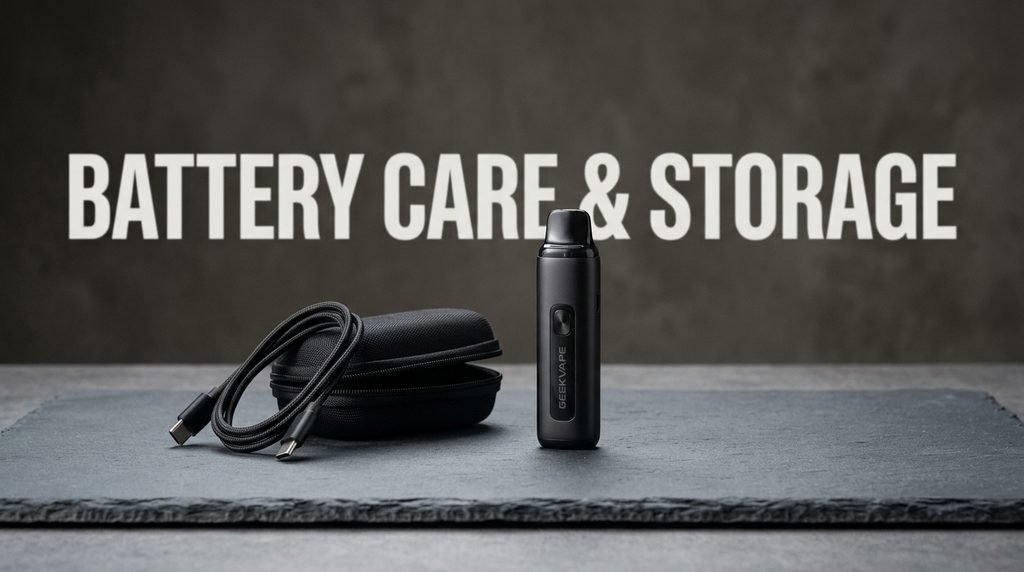
A good lithium ion battery can serve you for hundreds of charge cycles. A cycle means one full discharge and recharge, though partial top ups add up over time. With sensible care, the GeekVape Soul 2 battery capacity should stay useful for a long while. Here is how to protect it beyond daily charging.
Storing the device for a long period
If you plan to put the kit away for several weeks, charge it to around half full first. Storing a battery completely full or completely empty for a long time is hard on the cell. Keep it in a cool, dry place out of direct sunlight, and check it once in a while. A battery that sits at zero for months may struggle to recover.
Carrying the device safely
Do not carry the Soul 2 loose in a pocket with keys, coins, or other metal items. Although the battery is sealed inside the body, a hard knock or a crushed case can cause serious damage. A small case or a separate pocket is a cheap way to avoid problems. Also avoid leaving it in a bag where other items can press the button.
Travelling with a vape device
Rules for carrying vape devices on planes and trains differ from place to place. In many countries, lithium battery devices must travel in hand luggage and not in checked bags. Check the rules for your airline and your destination before you leave, and keep the device switched off and protected.
Troubleshooting Common Battery and Charging Problems
Even well made devices can have problems now and then. Most battery complaints come down to a handful of simple causes, and many can be solved at home.
The device will not charge
Start with the basics. Try a different cable, a different charger, and a different wall socket. Clean the port gently, since lint is a surprisingly common culprit. If the device still shows no sign of charging after these checks, stop and contact the seller, because there may be a fault that needs professional attention.
Charging is slower than expected
A weak charger, a thin cable, or a computer USB port can all slow the process. Switch to a proper 5V 2A wall adapter and a decent cable, and see whether the time drops back toward 40 minutes. Charging a cold battery is also slower, so bring the device to room temperature first.
The battery drains quickly
If the GeekVape Soul 2 battery life suddenly drops, look at your settings first. A higher wattage, a new pod with lower resistance, or accidental firing in a bag can all explain it. If you have ruled those out and the device is more than a year old, natural battery wear may be the cause. All rechargeable batteries lose a small amount of capacity over time, and this is normal.
The screen shows the wrong percentage
Battery indicators are estimates. They may jump or show unusual numbers if the device has been stored for a while or was charged in a cold room. Charging the device fully once and using it normally for a day or two often brings the reading back into line.
When to ask for help
If the device gets very hot, swells, leaks, or behaves strangely in any other way, stop using it and contact the retailer or the manufacturer. Do not try to open the body or remove the battery yourself. Sealed lithium cells should only ever be handled by trained people.
How the Soul 2 Compares With Similar Pod Kits
It helps to see where the Soul 2 sits among its competitors. Published retailer comparisons list the GeekVape Soul 2 at 2100mAh, against 2000mAh for the Vaporesso Luxe X2 and 1800mAh for the VooPoo Argus E40. The claimed charging time for the Soul 2 is around 40 minutes, while the other two are listed at roughly an hour. These numbers come from retailer reviews, so treat them as a rough guide and not a lab test. They do suggest that the Soul 2 is a strong choice for anyone who puts battery performance near the top of their list.
Capacity is not everything, of course. Flavor, draw feel, size, and price also matter. But if you often forget to charge or spend long days away from a power socket, the combination of a large cell and a short charge time is a real advantage.
Who Will Benefit Most From This Battery?
Commuters and people who travel for work will appreciate a battery that lasts through a full day without a top up. Beginners who want a device they do not need to worry about will enjoy the simple interface and the reliable run time. Experienced users who like to adjust settings will find enough control to tune the kit to their taste, and they will have the battery to back it up.
On the other hand, very heavy users who run the device at maximum power for most of the day may still need a midday charge. That is not a flaw. It is simply the limit of a battery that fits inside a slim pod kit. If you fall into this group, keeping a cable at work or in your bag solves the problem quickly.
Safety Reminders for Every Adult User
Vaping products are intended for adults only, and they should be kept away from children and pets. Nicotine is addictive, and anyone who does not already use nicotine should not start. Lithium batteries must be treated with respect, and a few simple rules go a long way.
- Use only the cable and a charger that suit the device.
- Never charge a damaged or swollen device.
- Do not leave the kit charging on a bed, sofa, or any soft surface.
- Keep it away from water, heat, and direct sunlight.
- Dispose of old devices at a proper electronics recycling point, never in household waste.
Follow the instructions in the manual that comes with your kit, and check the manufacturer’s official pages for any updates or notices.
Frequently Asked Questions About GeekVape Soul 2 Battery Life
What is the GeekVape Soul 2 battery capacity?
The GeekVape Soul 2 battery capacity is 2100mAh. It is a built in rechargeable lithium battery, which means you cannot remove it. This is 600mAh more than the original Soul.
How long does it take to charge the Soul 2?
Published figures put a full charge at about 40 minutes using a 5V 2A source. Real world Results usually fall between 40 and 45 minutes depending on the charger and cable.
How many hours does the battery last?
There is no single number, because it depends on power, coil, and how often you vape. Most moderate users report a full day of use, and some light mouth to lung users reach two days. Heavy use at high wattage will drain the battery faster.
Can I use the device while it is charging?
It is best not to. Using a device while it charges creates extra heat and puts more strain on the battery. Wait until charging is complete, then disconnect the cable before you use the kit.
What type of port does the Soul 2 use?
The device charges through a USB-C port located on the underside of the body. A reversible connector makes it easy to plug in, and it is more durable than older micro USB ports.
Is it normal for the battery to get warm?
A mild warmth during charging is normal. If the device becomes hot to hold, disconnect it and let it cool down. If it happens again, stop using it and contact the seller.
Can I replace the battery myself?
No. The battery is sealed inside the body, and attempting to remove it is unsafe. If the battery no longer holds a charge, contact the retailer or the manufacturer for advice.
Does the pod choice change the battery life?
Yes. A 1.0 ohm pod uses less power than a 0.6 ohm or 0.4 ohm pod, so it gives the longest run time. A lower resistance pod gives a looser draw but drains the battery faster.
Final Thoughts on the GeekVape Soul 2 Battery
The Soul 2 makes a strong case for itself when battery performance is a priority. A 2100mAh cell, a 40 minute USB-C charge, and a flexible power range give it a practical edge for daily use. The GeekVape Soul 2 battery life will comfortably cover a typical day for most people, and careful habits can stretch it further while keeping the cell healthy for years. By choosing a sensible wattage, picking the right pod, charging with a good adapter, and avoiding extreme temperatures, you can get the best from the GeekVape Soul 2 battery capacity every single day.
We hope this GeekVape Soul 2 Battery Life and Charging Guide has answered your questions and given you a clear plan for looking after your device. Check the manufacturer’s manual for the latest official guidance, treat the battery with care, and the kit should reward you with reliable, low fuss performance for a long time to come.